USE CASE/
COMPANY PERFORMANCE ANALYSIS
VISUALIZATION
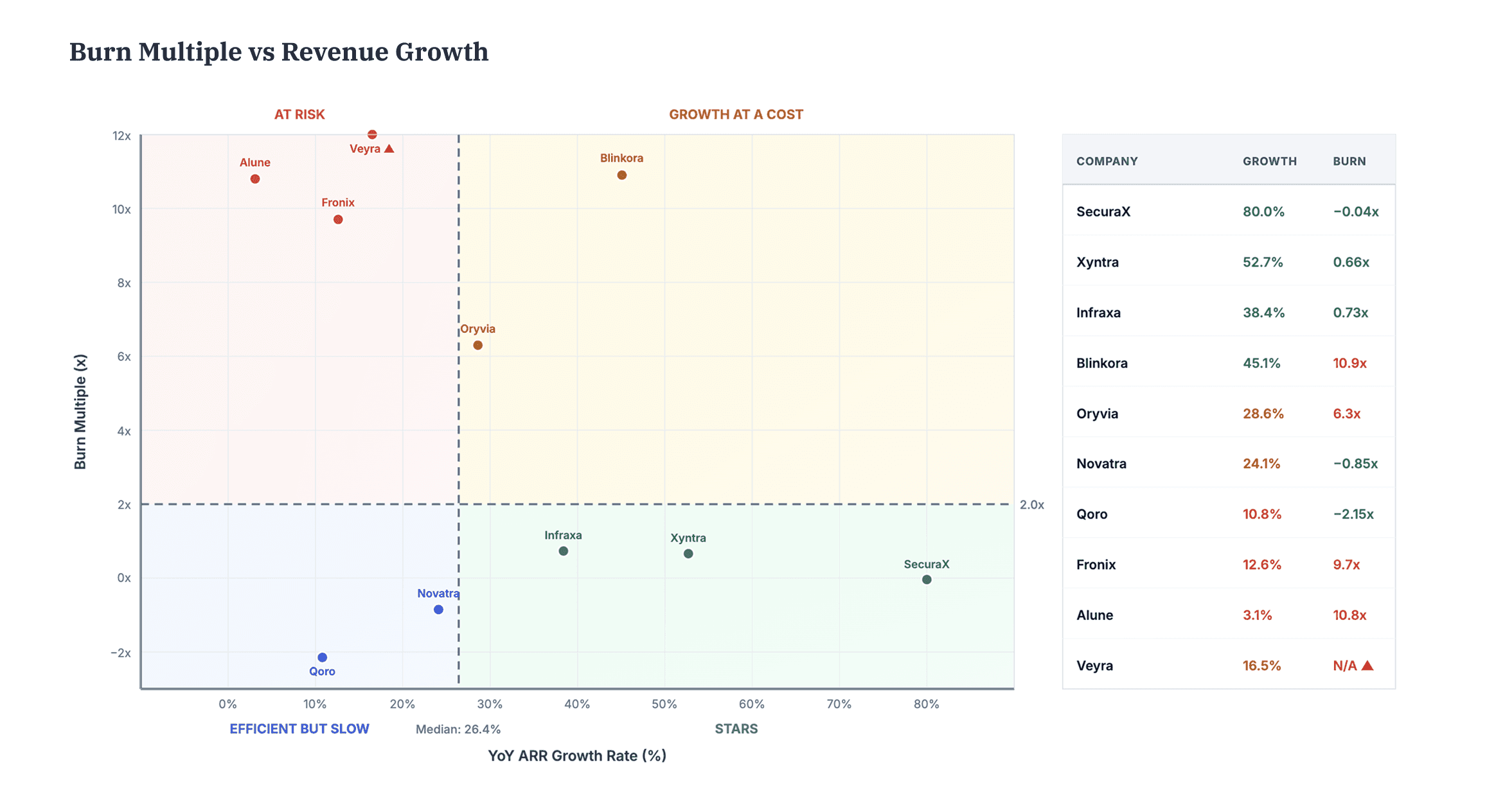
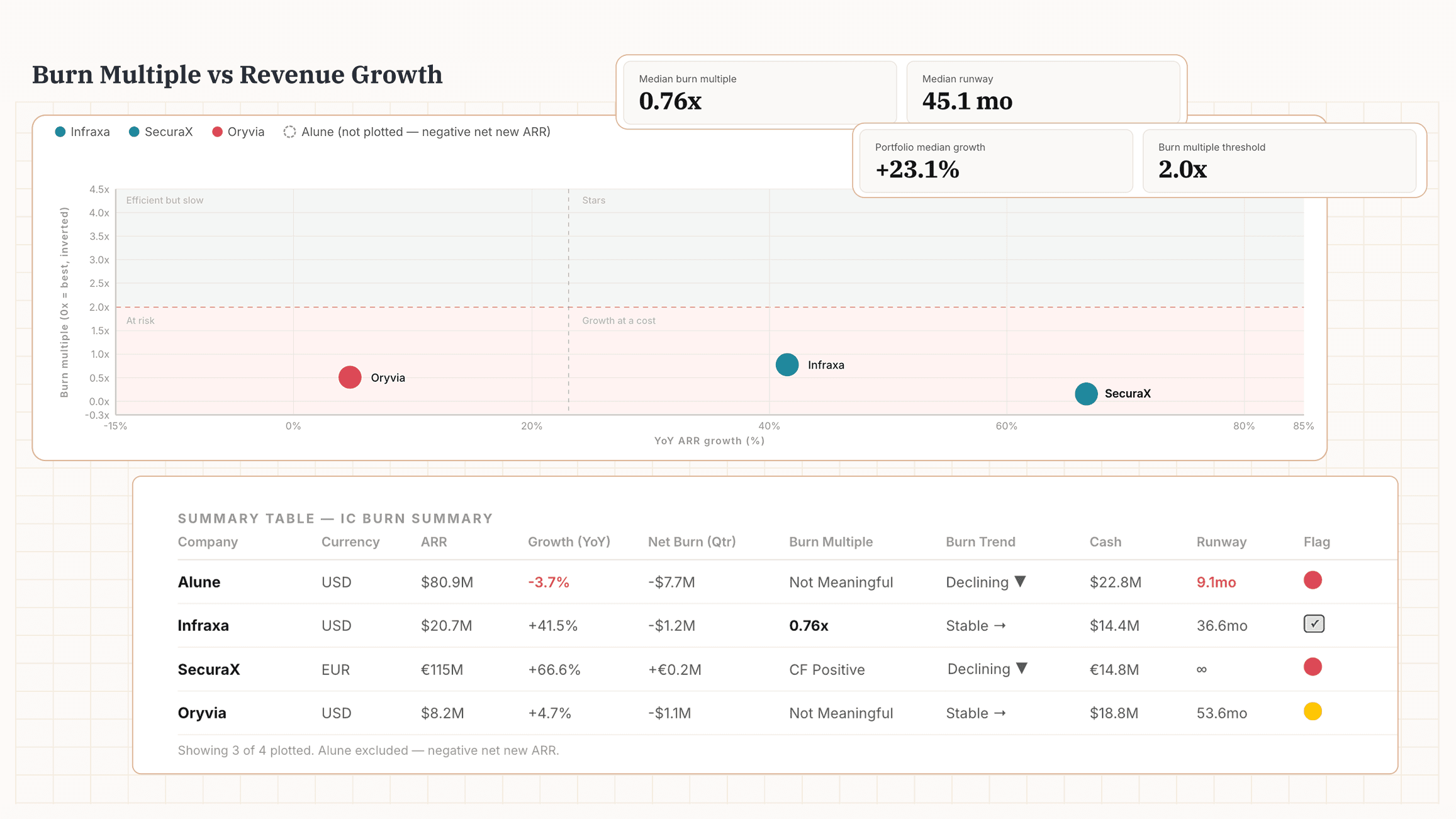
Portfolio Burn Analysis Copy
Burn multiple alone is only half the picture. Plot it against growth rate and you can see in one chart which portfolio companies are growing efficiently and which are burning faster than they're growing.
Prepare your Data
Prepare a single spreadsheet — one row per company per quarter. This is the input file the AI needs to run the analysis. Add the following metrics for each company:
ARR or Revenue
Ending value for each quarter
Total OpEx & Revenue
To derive net burn if no direct figure
Cash in Bank
End-of-quarter balance
Include columns for company name, quarter, FY convention, currency. Note any fundraise amounts. Cover 4 quarters for QoQ, or include prior-year quarters for YoY. If a quarter is missing, leave the row blank.
Run the Analysis
Once your data is set, run the prompt to generate your burn-vs-growth matrix and portfolio summary.
Copy prompt
Copied
Go Deeper
Use these follow-ups to push the analysis further.
Stress-test runway
"Model runway at current burn and at burn +20%. Which companies cross the 12-month line?"
Try on PortfolioIQ
In most analyses like this, data prep is the hardest part. With PortfolioIQ, your portfolio data is always analysis-ready — no prep required.
Create a 2x2 visual with burn multiple and growth for all my portfolio companies